
RESEARCH RECAP
Long-term investing takes time to see performance. How can we tell users the strategy is working?
After conversations with our customers, along with the new internal need to develop sample strategy, we decided to plan a feature to solve current customer and internal needs.
CUSTOMER NEED

Michael
Emerging Investor
"If there's a way to go back in time and show someone following the same logic if they invested 10 years ago, what’s their investment would have grown to now, and that'll be great, like a proof of concept."
INTERNAL NEED

Internal finance analyst
To give new users an easy starting point and build trust through high-CAGR strategies, we needed a tool that enables our internal finance analyst to create screening strategies tested and validated with historical data.
Solution
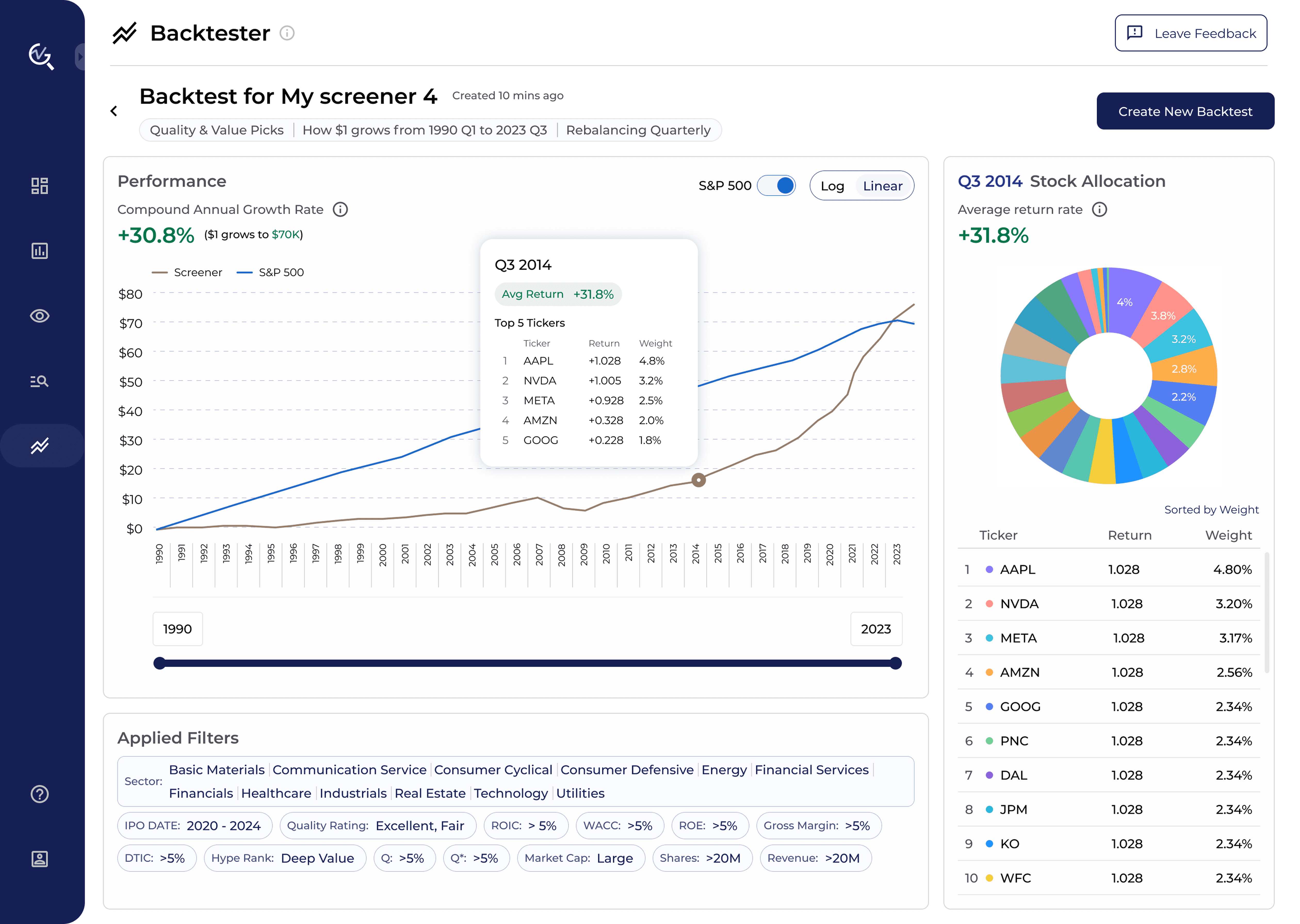
A tool allowing users to know how much they would have earned in the long term by following ValueGlance's investing strategy using actual historical prices. In financial tools, this is commonly referred to as a backtesting tool.
Look into existing backtesting tool
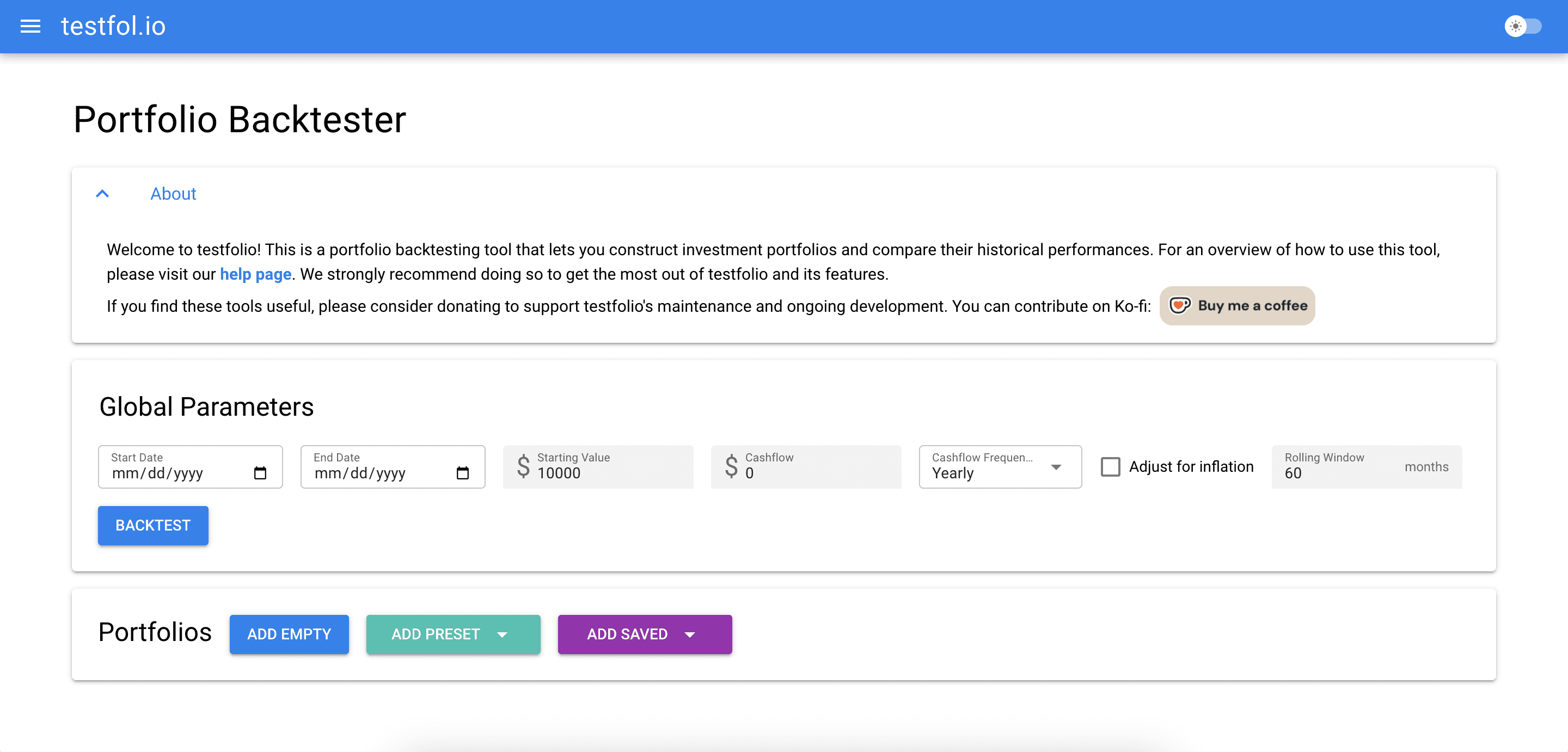
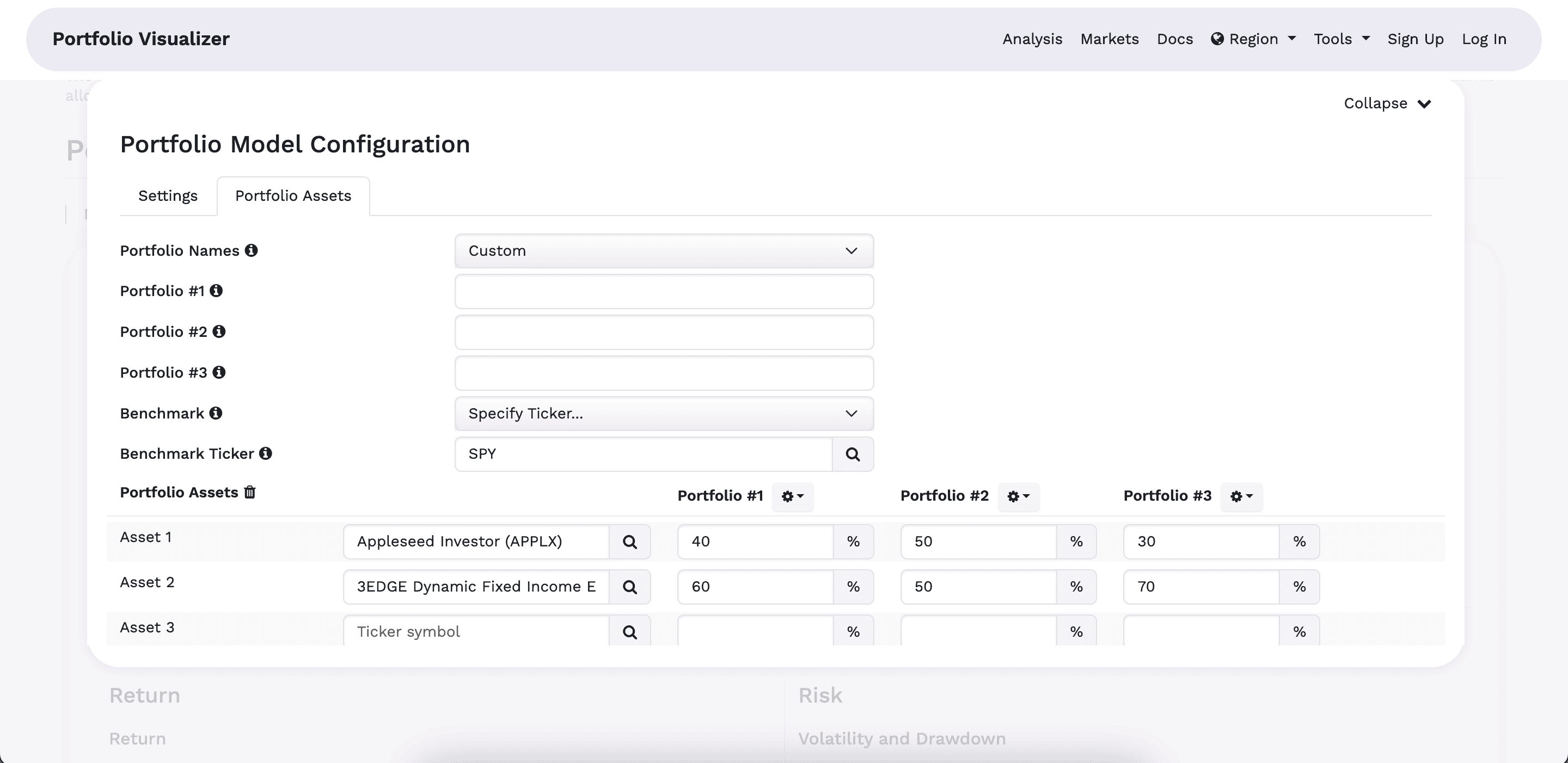
To get familiar with the tool, I tried on existing backtesting tools such as Testfolio, Portfolio Visualizer, etc. From there, I learned two problems:
Shaping feature
From competitive insights,
How might we make backtesting approachable for beginners without requiring them to set up a portfolio by entering specific tickers/assets?
From business problem,
How might we build confidence in ValueGlance’s simple long-term investment strategy through the backtesting experience?
SOLUTION
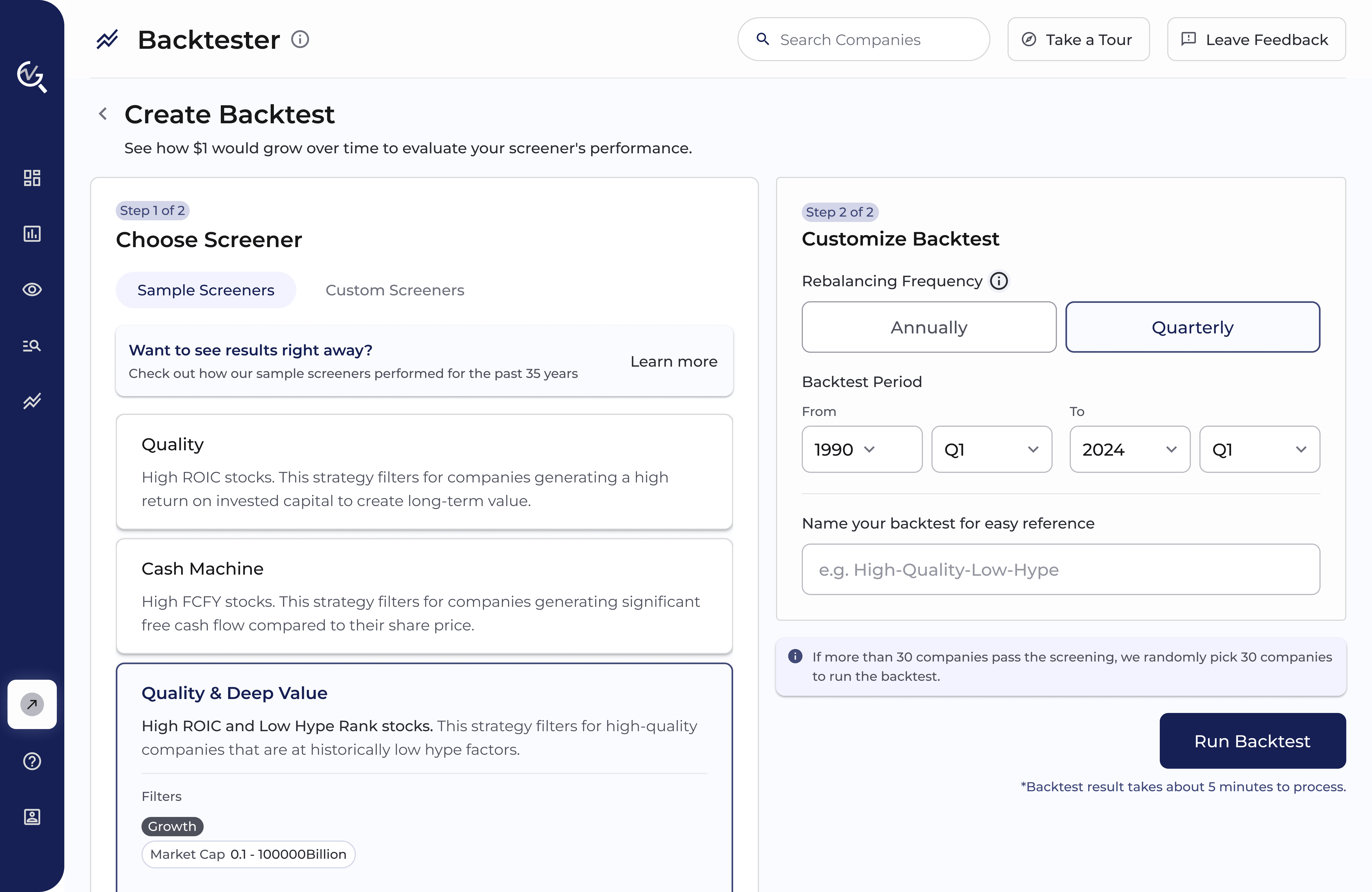
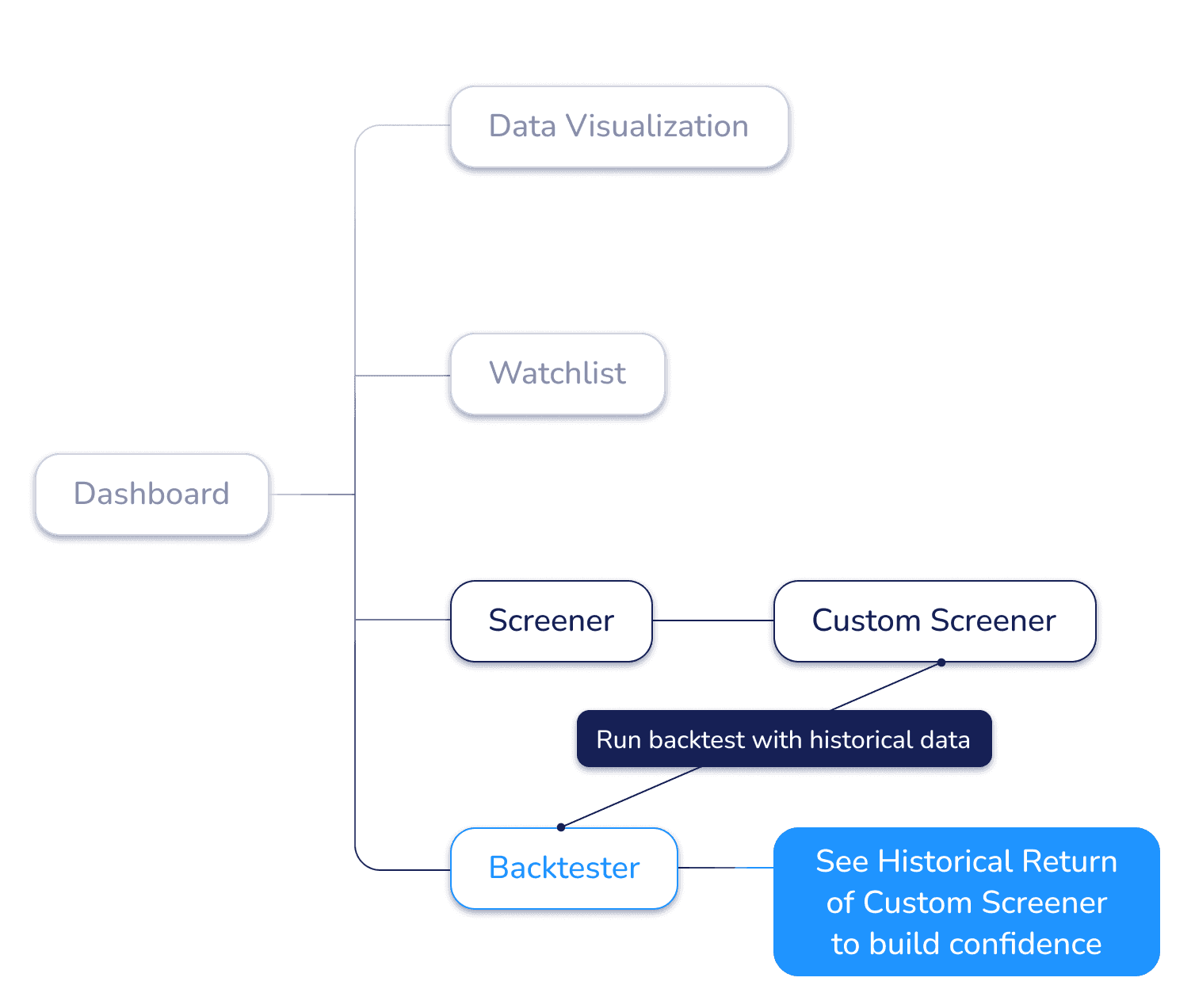
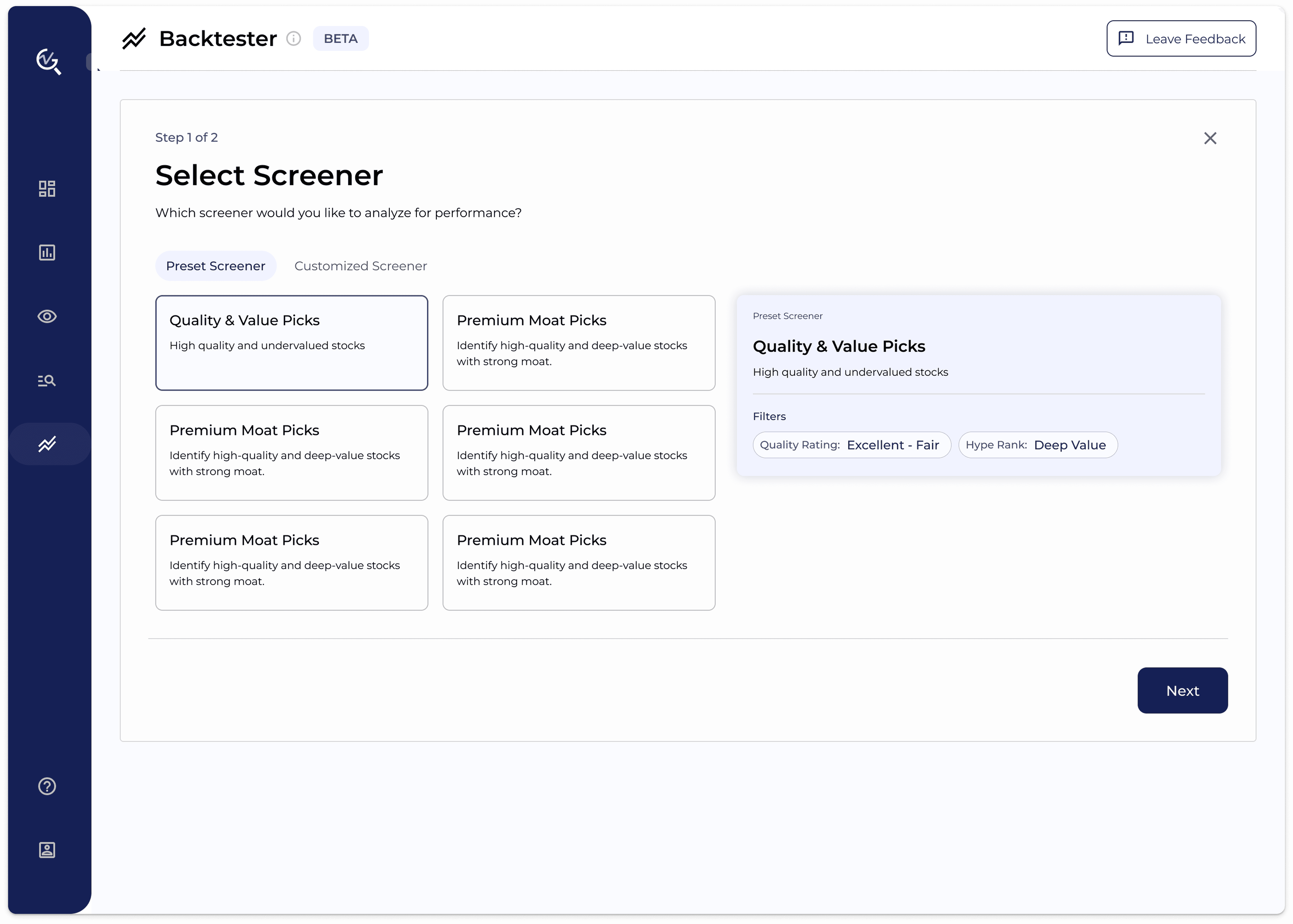
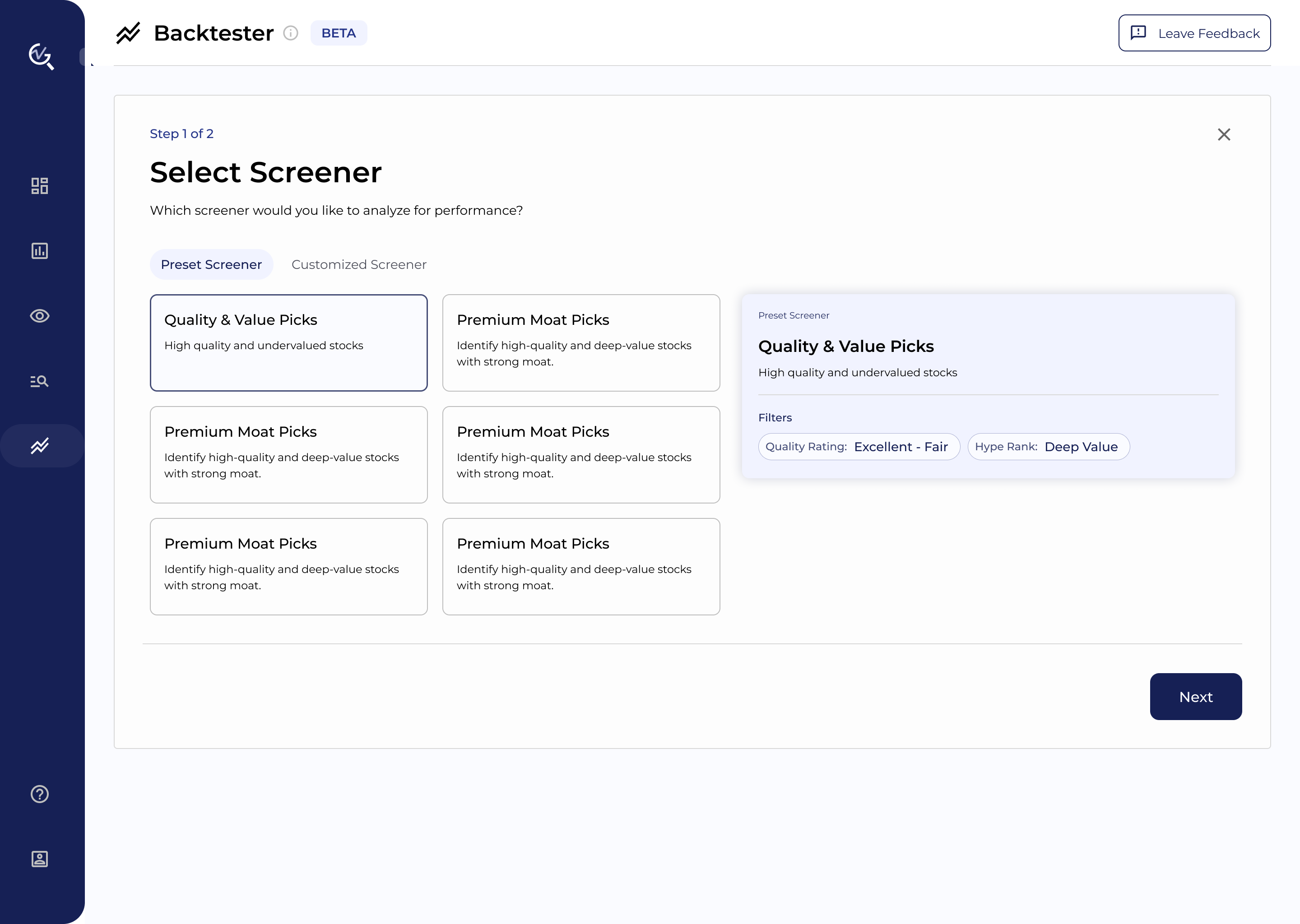
Run backtests on user-defined screeners to build confidence in screening results
Users can run backtests directly from curated screener results. This eliminates setup friction while simultaneously building confidence in the Screener by showing its actual historical returns.
First MVP, Start with Basic
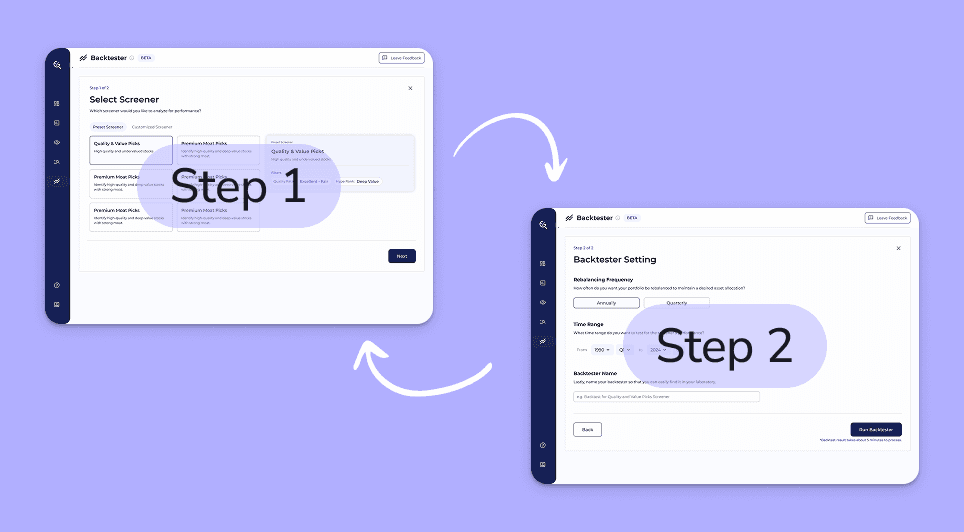
Iterating user flows
I collaborated with the back-end engineer and financial analyst to discuss the functionalities while taking technical feasibility into consideration.
VER. 1
Allow users to select companies into their portfolio

TECHNICAL CHALLENGE
Selecting companies during backtest setup requires loading a very large dataset on a single page, which would slow performance. Moreover, allowing selecting company adds complexity to editing this dataset on the back end.
VER. 2
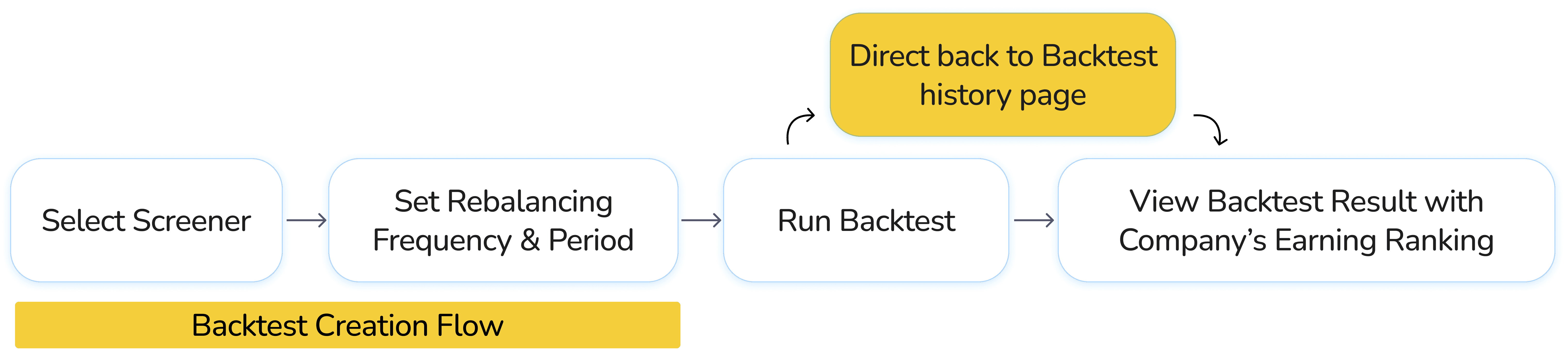
Remove the company-selection step while allowing users to explore company earnings rankings on the results page

TECHNICAL CHALLENGE
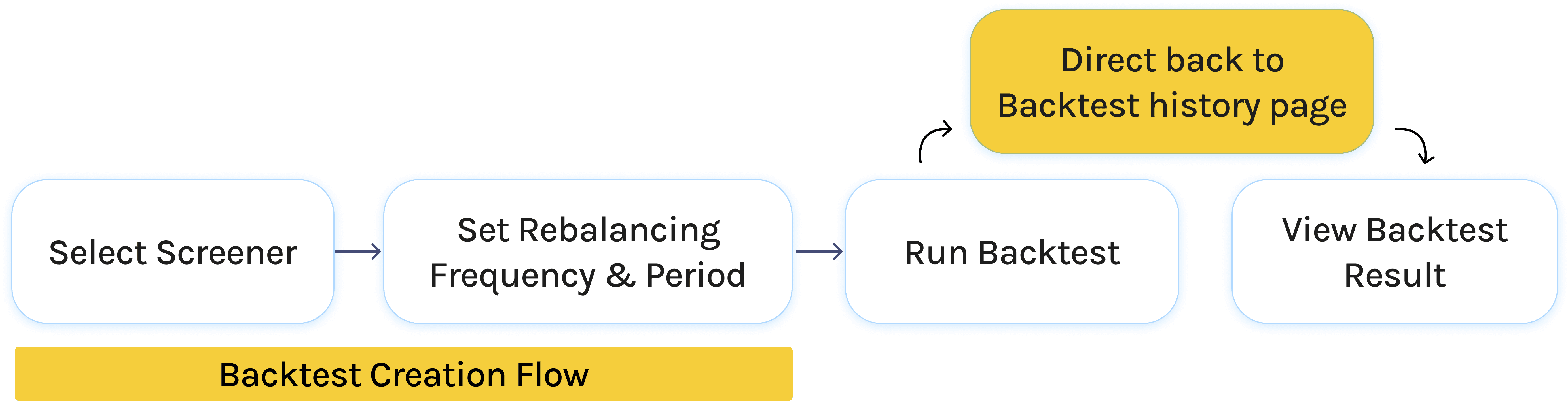
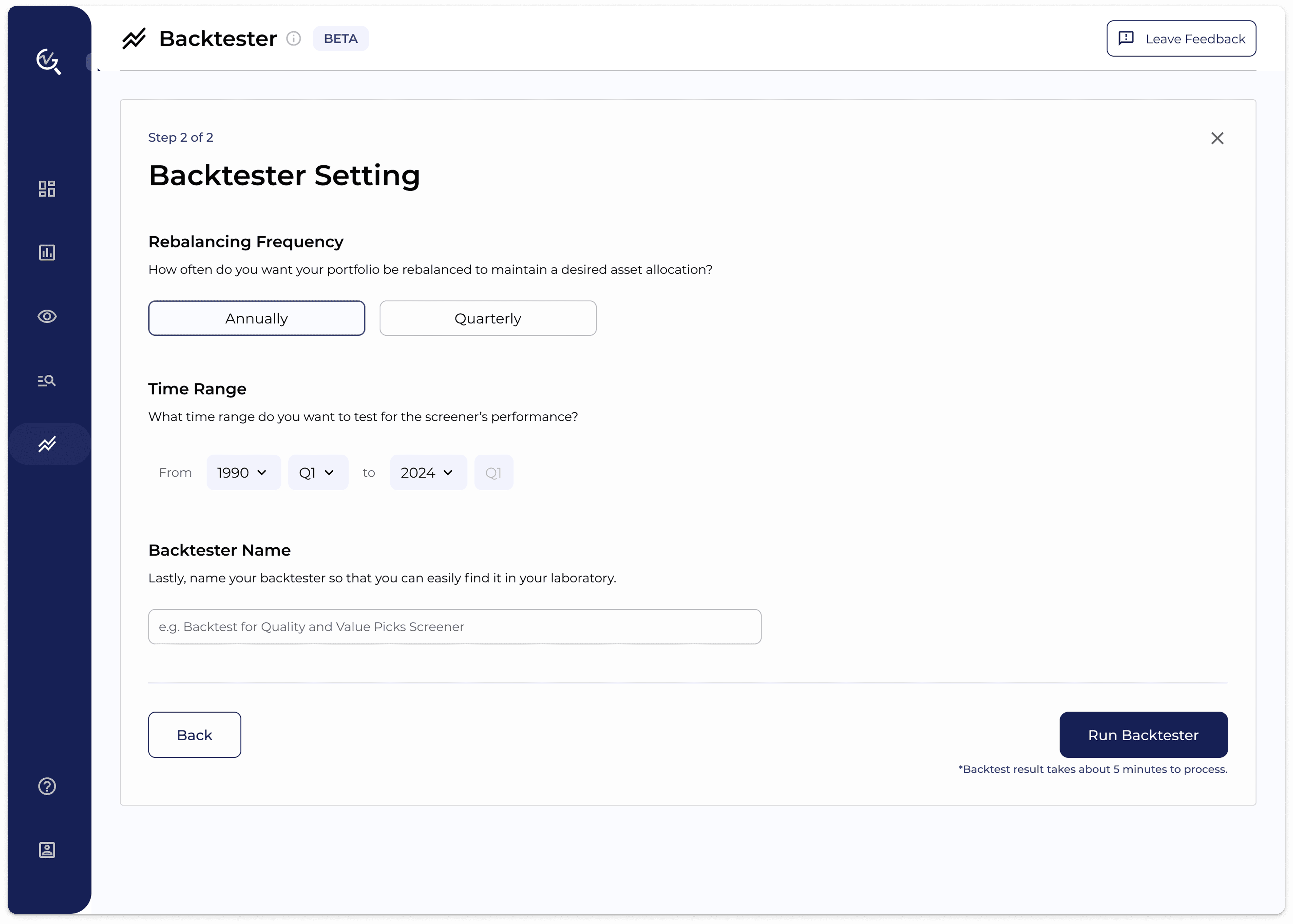
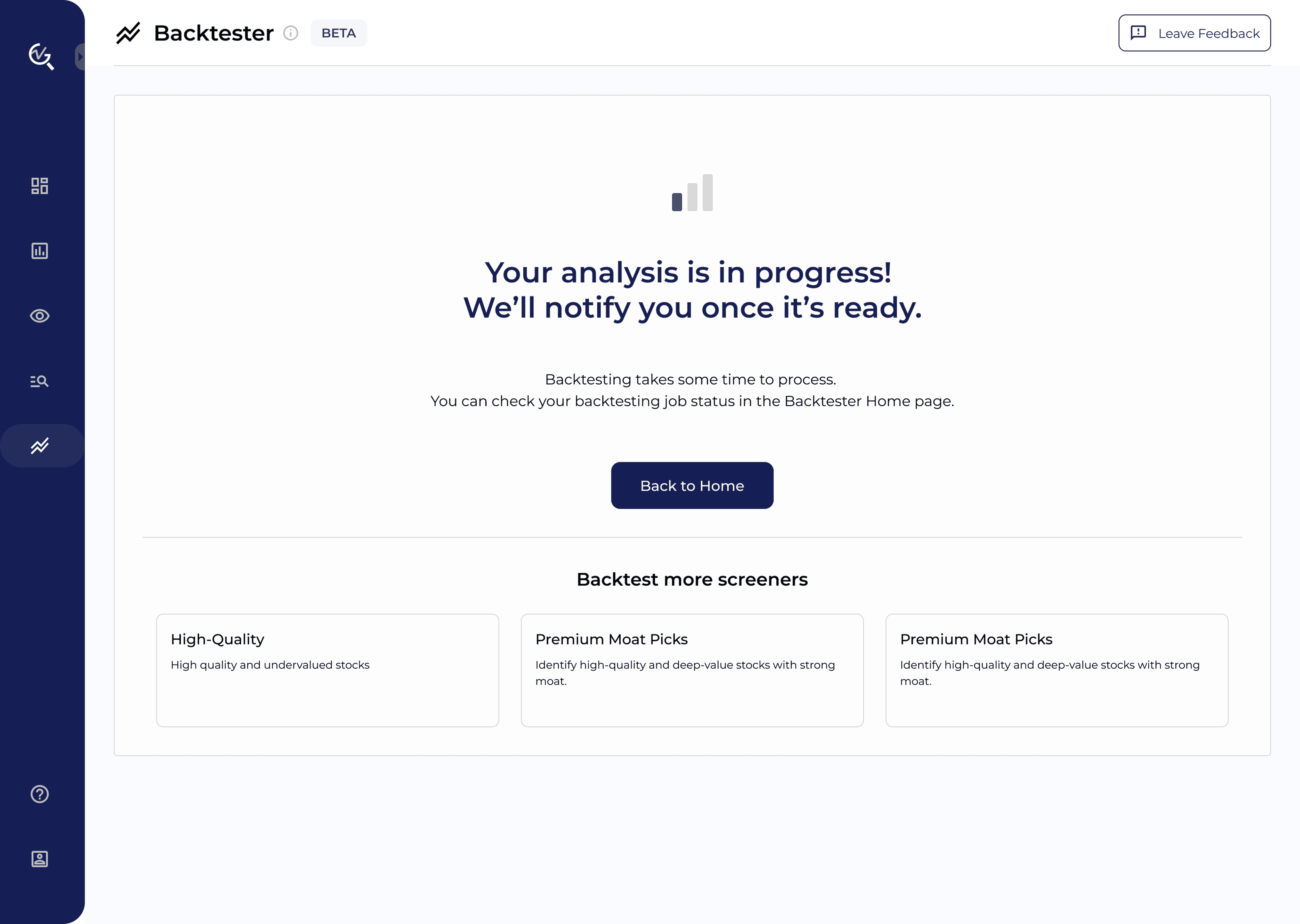
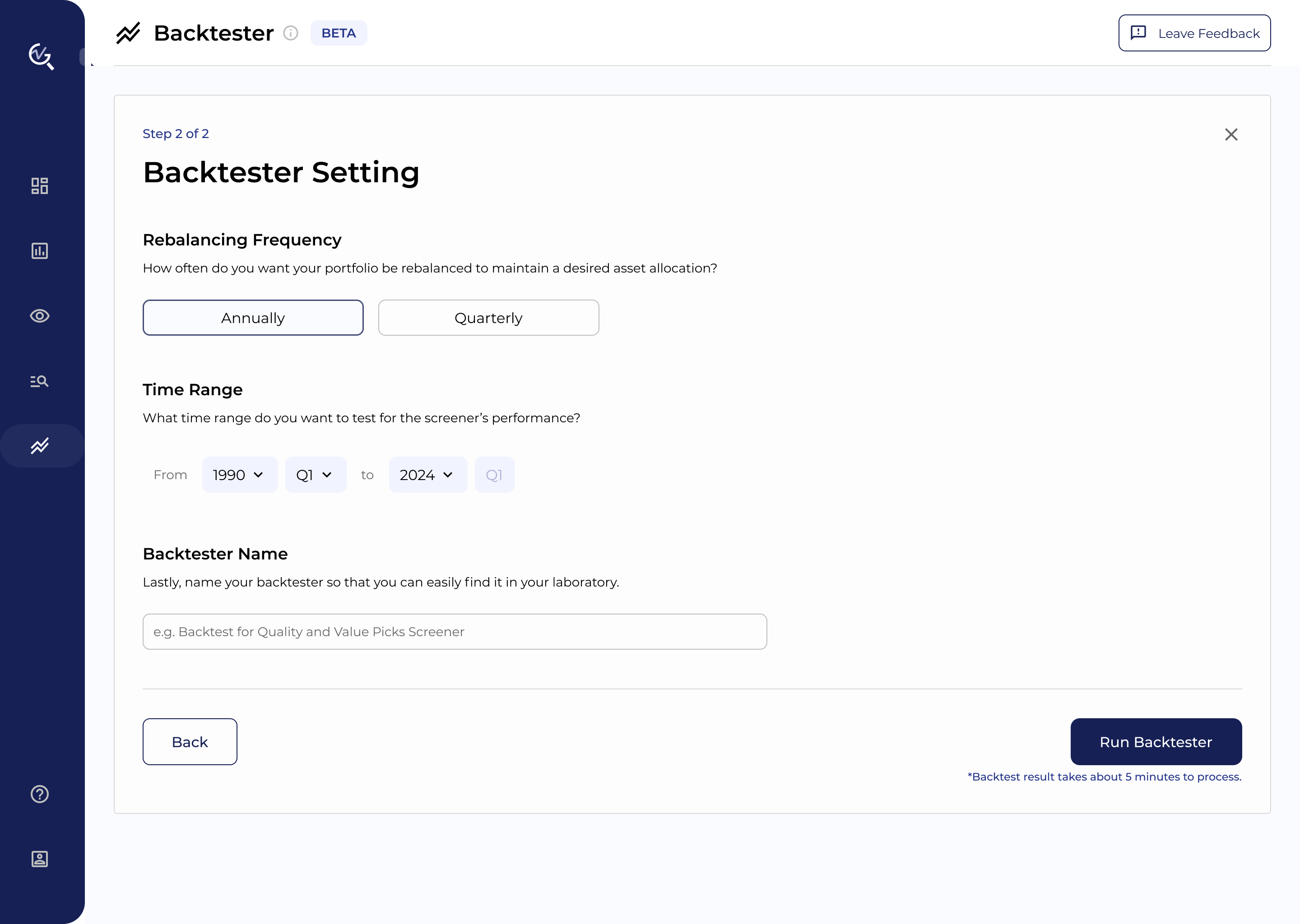
From back-end, I learned that backtest takes about 5 minutes to process. In this way, users may not stand the wait and leave the page, especially for web page.
VER. 3
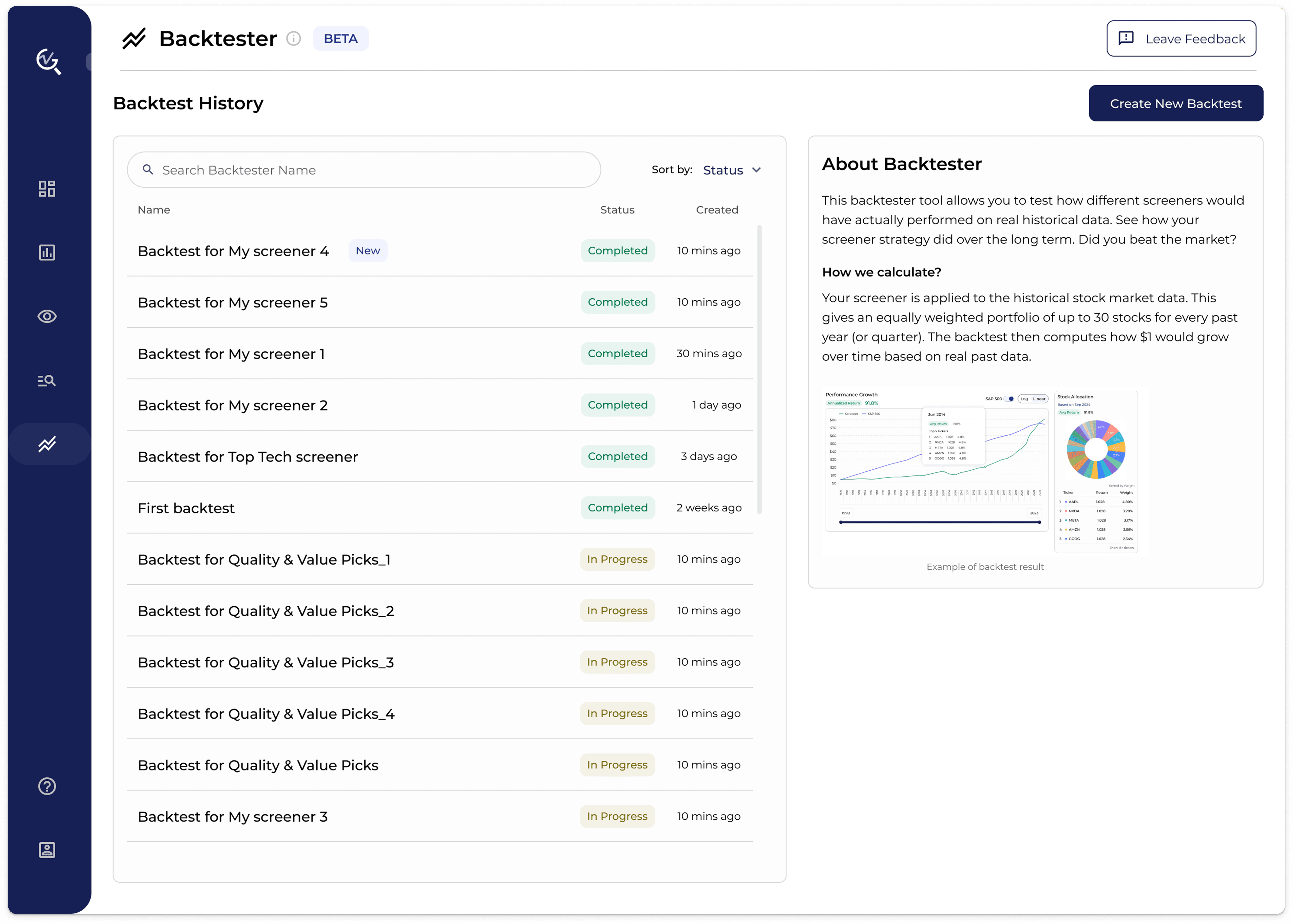
Separated backtest creation flow from backtest result page
ANALYST FEEDBACK
From Financial Analyst, I learned that running backtests is often repetitive, as users may run multiple tests with only subtle changes in settings to refine their strategy. They need a clear way to distinguish each backtest job.
VER. 4
Add a step to give a name to differentiate from each backtest

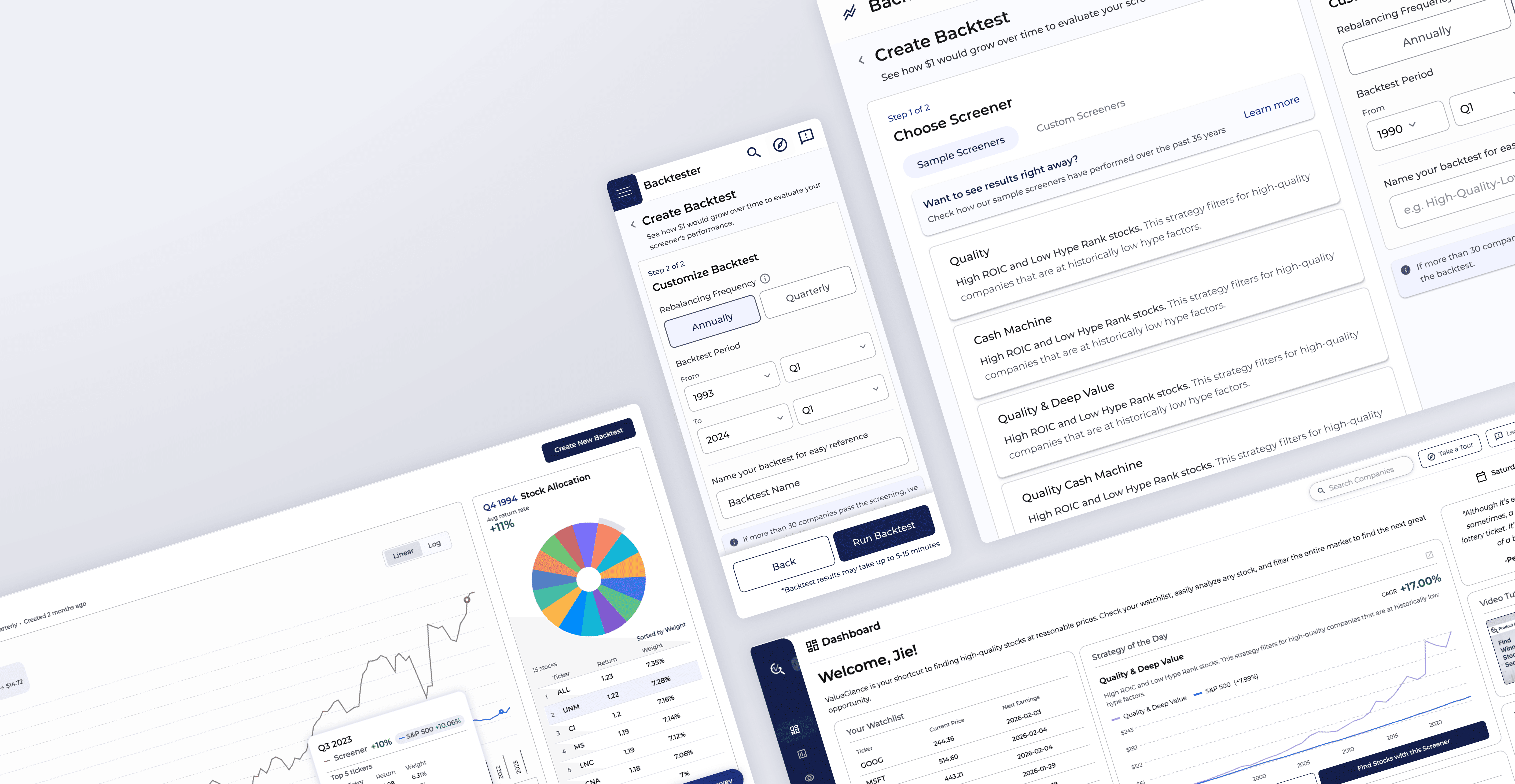
First MVP
ITERATIONS
BEFORE
SOLUTION 1
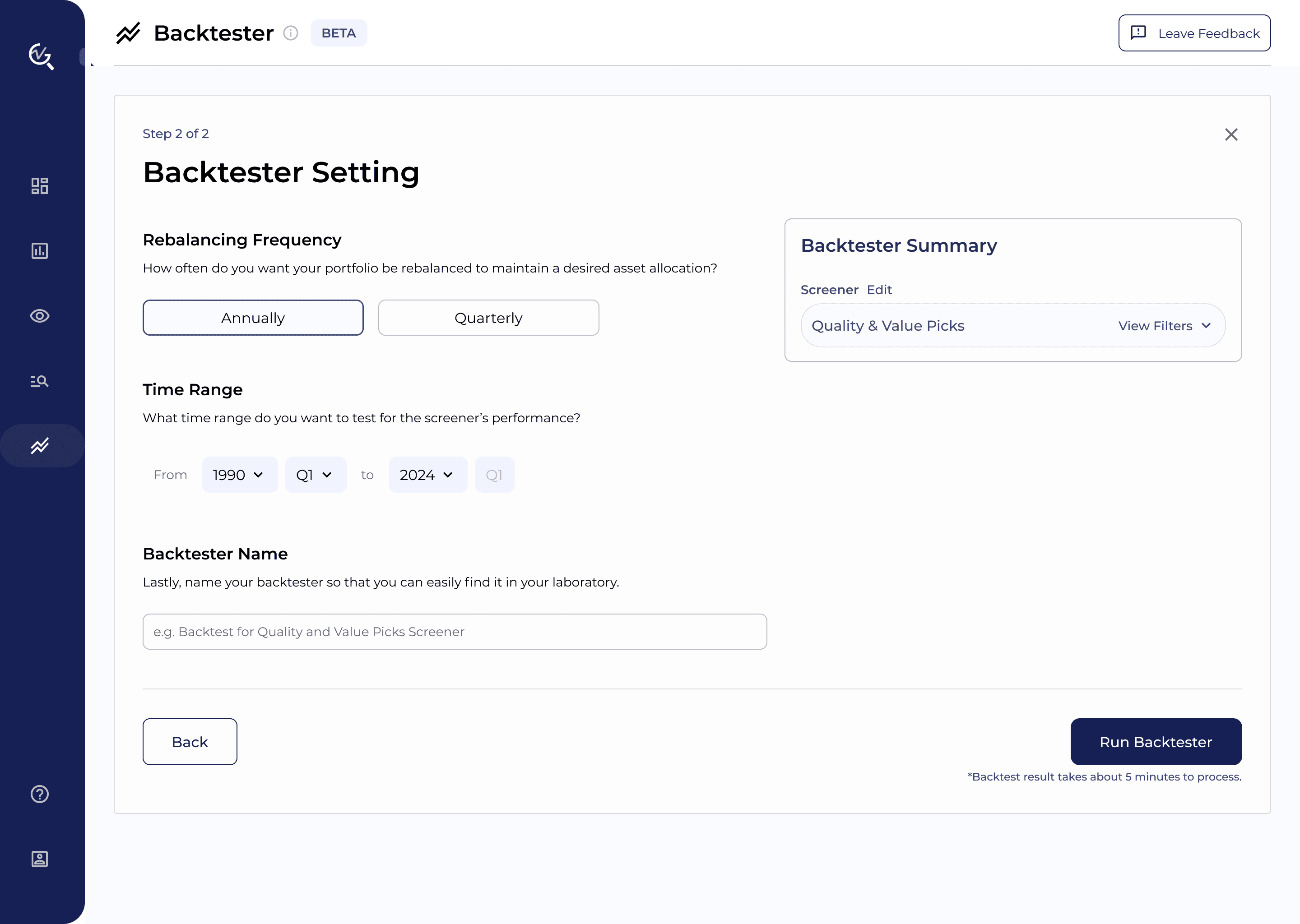
FINAL SOLUTION